
Document Management, Inside the Platform
No separate system to set up: corporate document archiving, version tracking and in-browser editing, under the same security and authorization model.
Every Document's History at Your Fingertips
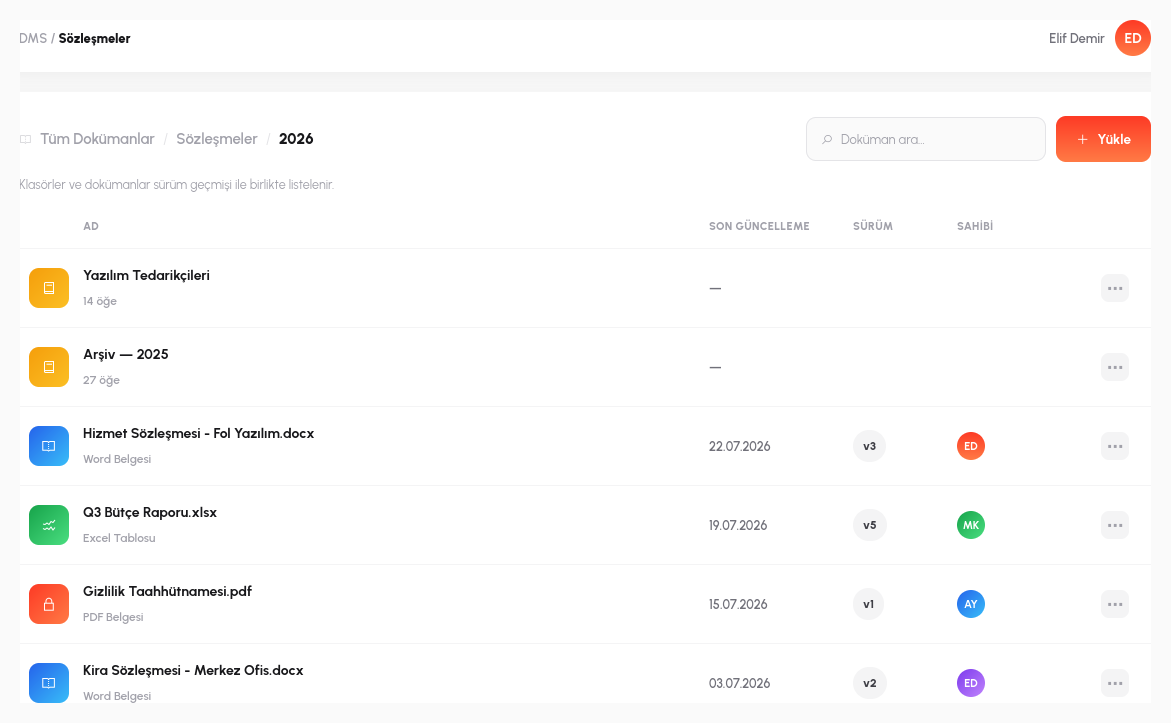
Archive documents within a corporate folder hierarchy. No edit ever overwrites the file; each one is stored as a new version. When you update a contract today, yesterday's copy doesn't disappear; it stays in the version list, and you can roll back to a previous version with a single click whenever you need to. The question "who made this change, and when" is answered instantly from the version history, instead of hunting for the file in email attachments.
This is fundamentally different from the classic "file server" mindset: on a file share, a document accidentally saved over is gone for good, but in the DMS every version is a permanent record. For example, if a faulty clause is spotted in the third revision of an HR policy, it can be compared against the second version before the fourth is published, and rolled back to that version if needed. The edit history works like an audit trail.
The folder hierarchy mirrors your organization's own logic; you can create subfolders to any depth by department, project or document type. When a file with identical content is uploaded again, the system recognizes it and automatically adds it as a new version; no more naming chaos like "contract_final_v2_latest.docx", because versioning is tied to the document itself, not the file name.
Edit Word/Excel Without Downloading
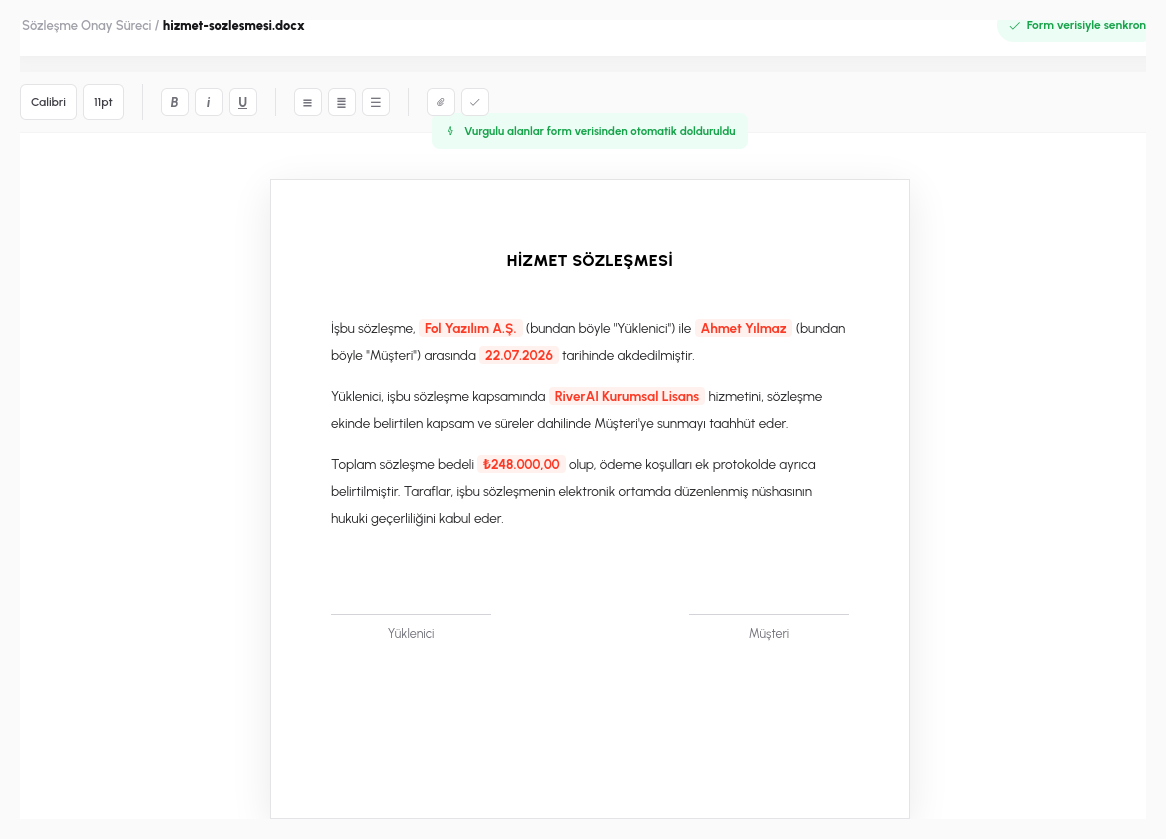
Pick a Word or Excel file from the DMS and open, edit and save it directly in the browser, without downloading it into a local application, without even having Office installed on your desktop. This works through RiverAI's OnlyOffice integration: a fully compatible editing experience for Word, Excel and PowerPoint files, delivered entirely in the browser.
More importantly, editing isn't limited to one person: multiple people can open and edit the same document at the same time; one fixes a clause while another works on a different section, and changes are visible to each other. For example, the sales and legal teams can work on a proposal document simultaneously and agree on a shared version without ever emailing the file back and forth.
Documents uploaded through file fields on forms land in the same DMS; a contract you upload from within a form can be opened and edited with the DMS editor without ever closing that form, corrected, and saved back to the same form. There is no separate hand-off step between the process and the document.
- Versioning: no edit overwrites the file. Each is stored as a permanent version; roll back to a previous one with a single click.
- In-Browser Editing: Word/Excel files are opened, edited and saved directly in the browser via the OnlyOffice integration, with no downloads.
- Real-Time Co-Editing: multiple people can open and edit the same document at the same time, with changes visible to each other.
- Folder-Level Permissions: every folder has its own access list; visibility control by department/role.
- Full-Text Search: search not only file names but the content of documents as well.
Who Can See What Is Clear from the Start
Folder-Level Permissions
Every folder has its own access list; visibility control by department/role.
Full-Text Search
Search not only file names but the content of documents as well.
Mobile E-Signature
Documents can be signed from a phone through the carrier-based mobile signature integration.
Process Integration
Generate a document into the DMS directly from a process step, archive it, or attach it to an email.
Try the DMS with Your Own Documents
In a 15-minute demo, let's upload one of your real documents to the DMS and edit it together.
Request a Demo